
Fantech Mini Controller Hands-On | Best in Class?
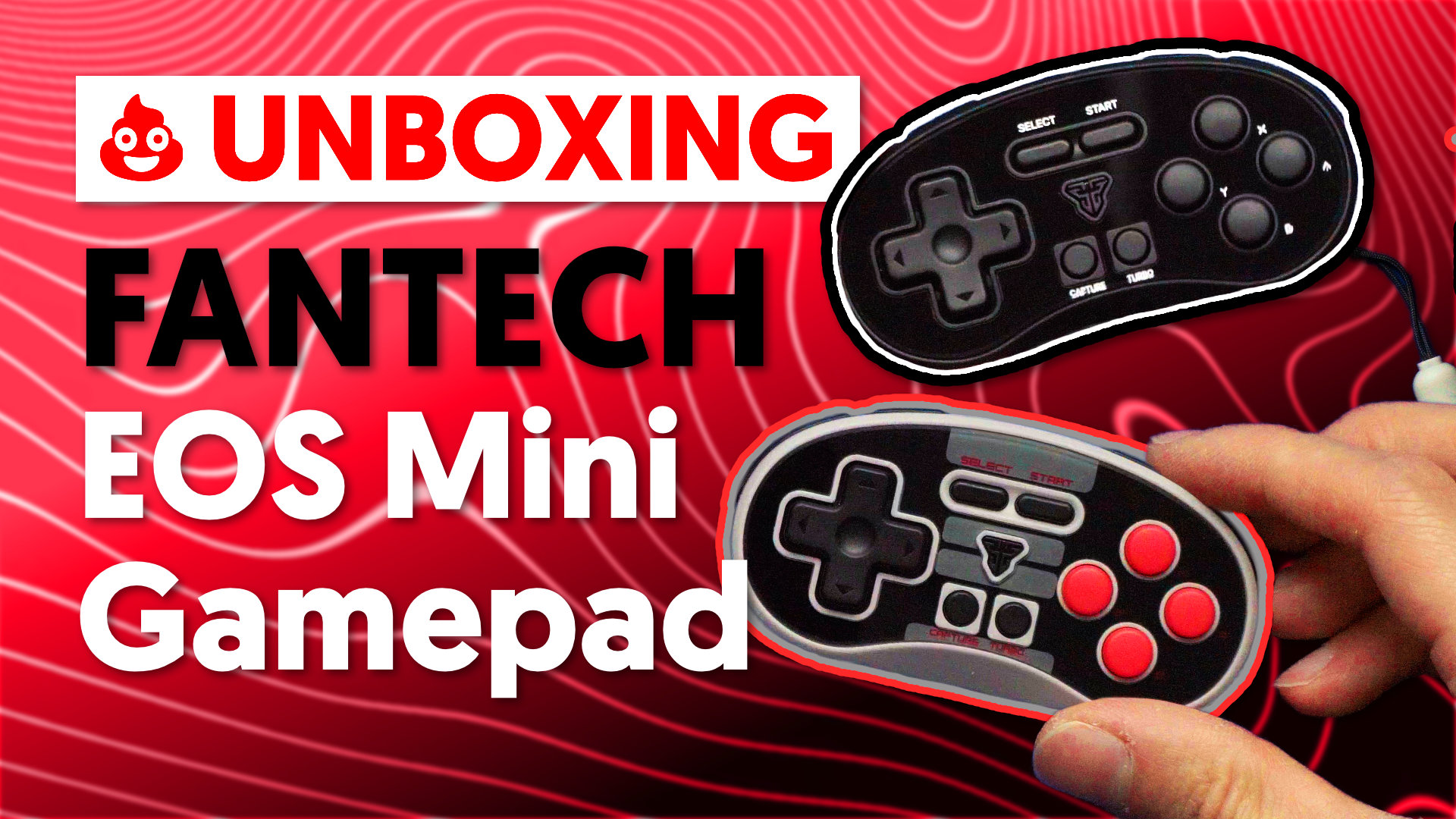
Kicking things off in 2026, I’m taking a look at the Fantech EOS Mini controller, a tiny gamepad that packs far more features than you’d expect. Fantech was kind enough to send over two colorways late last year, but holiday chaos delayed things a bit. Better late than never.
I also wanted to revisit this category by comparing it to the 8BitDo Micro controller, which I’ve covered in a previous video and blog post. If you’re into ultra-compact controllers, it’s an interesting matchup.
Unboxing and First Impressions
The EOS Mini currently comes in four color options, though the box and Fantech’s website tease even more designs, so it looks like additional styles are on the way. I received the plain black model and the NES-inspired gray, which honestly looks fantastic and fits the retro vibe perfectly.
Inside the very small box, you’ll find:
The controller itself
Some basic paperwork
A surprisingly nice wrist strap
A USB-A to USB-C cable (adding to the ever-growing cable collection)
At just $12.80 USD on Fantech’s official site (before shipping and tax), the price immediately stands out. For what you’re getting, it’s impressively affordable.
The wrist strap deserves a quick mention: it’s a bit tricky to thread through at first, but once it’s on, it includes a small hook mechanism that lets you tighten it around your wrist. Little details like that are always appreciated.
Buttons, Layout, and Build
Despite its size, the EOS Mini is loaded with inputs. On the front, you get:
A D-pad
ABXY buttons
Select and Start
A Home button
Capture and Turbo buttons
Up top are the shoulder buttons, labeled ZL, L, and ZR, clearly leaning into a Nintendo-style layout. On the bottom, there’s a power/pairing button and a mysterious C button. According to Fantech, the C button is used for chat functions and macro setup. I’m not entirely sold on the chat side of things, but the macro functionality is more interesting—and we’ll get to that shortly.
Overall, the buttons are larger than you’d expect on a controller this small, and they feel solid with good retention. It doesn’t feel cheap or toy-like, which is something not all mini controllers manage to avoid.
Features That Go Way Beyond “Mini”
The manual is surprisingly extensive, and for good reason—this controller does a lot.
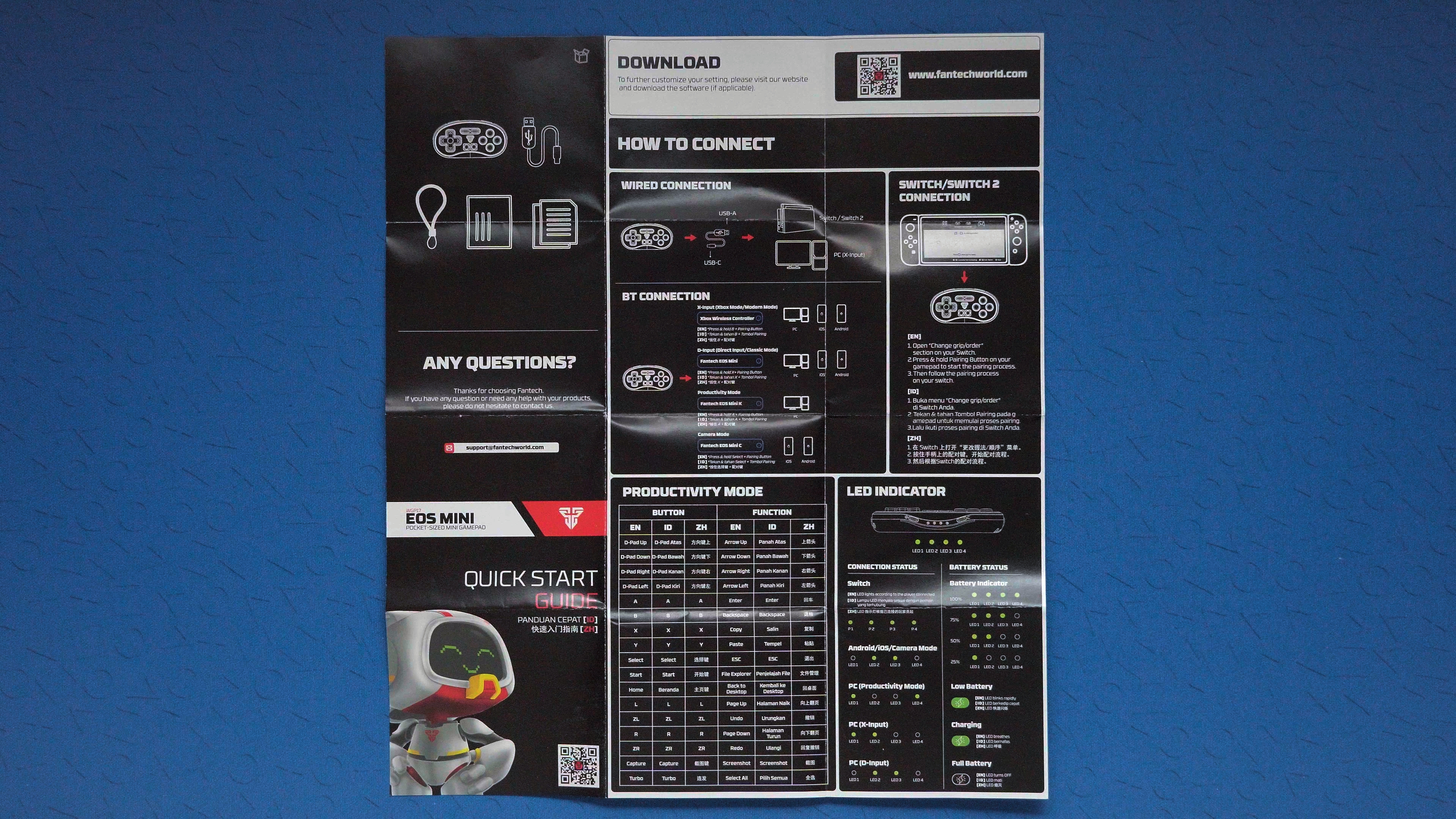
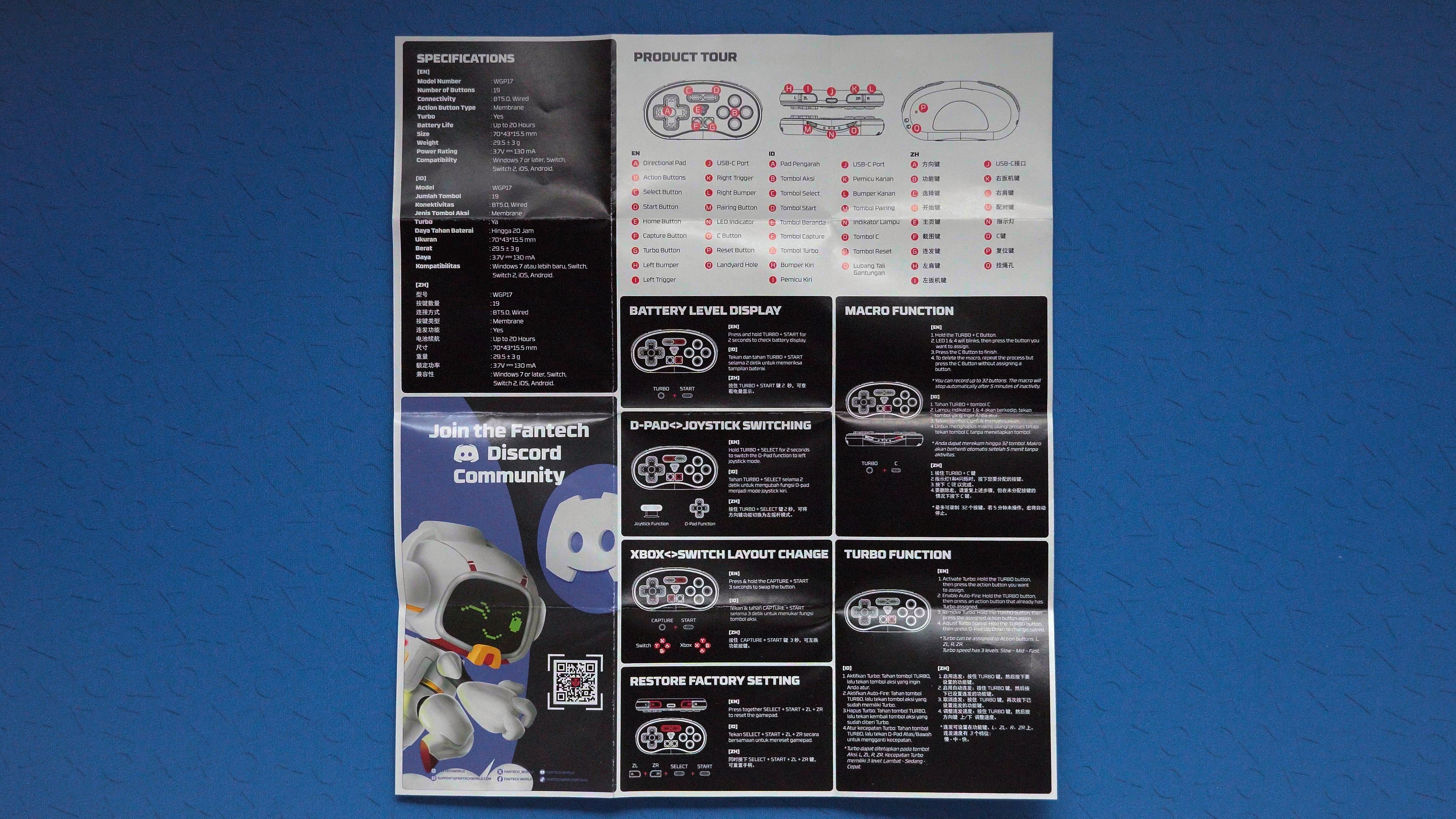
The EOS Mini supports PC, Android, iOS, and Nintendo Switch, and you can use it either wired (PC and Switch) or over Bluetooth across all platforms. As soon as you press the power button, it jumps straight into pairing mode, which makes setup quick and painless.
One of the standout features is how many modes this controller supports:
X-Input / Xbox mode
Direct Input / Classic mode
Productivity mode
Camera mode
You access these by holding the power button along with A, B, X, or Select, depending on the mode you want. It works well, but it does mean memorizing a few button combinations.
Productivity mode, in particular, is heavily documented in the manual and essentially turns the controller into a shortcut device for PC use. It’s niche, but undeniably powerful for the right user.
Other notable features include:
Checking battery life by holding Turbo + Start
Swapping Xbox and Switch button layouts (A/B swap)
Turbo and Capture functionality
Macro support for automated button sequences
LED indicators that clearly show which mode you’re in
For something this small, the feature set is honestly impressive.
Gaming Performance and Use Cases
To get a real feel for it, I tested the EOS Mini across a variety of games, including:
Elevator Action
Puyo Puyo Tetris
Echoes of the End
EA WRC
You can toggle the D-pad to function as a left analog stick, which works great for 2D and arcade-style games. However, there’s no way to emulate a right stick, so if a game relies heavily on camera controls, you’ll run into limitations. Racing games like EA WRC are playable to a degree, but this clearly isn’t the ideal controller for full 3D experiences.
Where it really shines is retro gaming and remote play. Using it with classic titles like Jaleco Sports Goal feels like the perfect match—compact, comfortable, and purpose-built.
Comparison: Fantech EOS Mini vs 8BitDo Micro
The 8BitDo Micro currently costs a bit more, around $14.75 USD at the time of filming. It does have advantages, including a physical mode switch and a companion app for customization.
That said, the Fantech EOS Mini wins in a few key areas:
More ergonomic shape
Larger, better-feeling buttons
A Home button plus extra bottom buttons
More overall modes and features
The Micro’s buttons are smaller and clickier—almost Game Boy-like—while the Fantech’s feel more solid and substantial. Combined with its shape and build quality, the EOS Mini feels less like a novelty and more like a serious mini controller.
Final Thoughts
The Fantech EOS Mini controller manages to be cheaper, more ergonomic, and more feature-packed than you’d expect at this size and price. While the learning curve for its button combinations might not be for everyone, the sheer versatility makes it a standout option—especially for retro gaming, portable setups, and creative use cases.
If you’re looking for a tiny controller that punches way above its weight, this one is absolutely worth a look.
Fantech EOS Mini https://fantechworld.com/products/eos-mini-wgp17
8Bitdo Micro https://amzn.to/4jcZYSm